How to Implement a Password Reveal
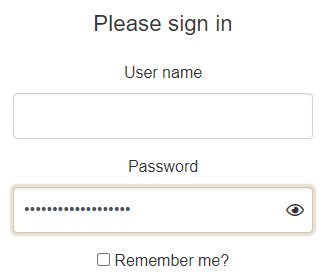
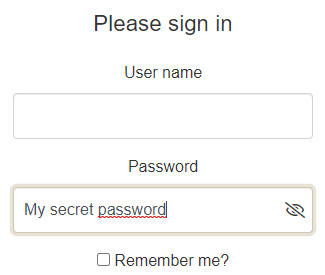
graph TD
A[Input] --> C[canReveal:=false]
C -.->|onfocus| B{Check value}
B --> |length>0| F(Listen)
B --> |length=0| D(canReveal:=true)
F -.-> |onblur| E(End)
F -.-> |oninput| B
B --> |canReveal & length>0| I(Show Reveal cue)
I --> J(Listen)
D --> F(Listen)
J -.-> |on reveal| G(Show password)
G --> F
J -.-> |on unreveal| H(Obfuscate password)
H --> F
document.querySelectorAll('input[type=password]').forEach(function (input) {
    const cue = document.createElement("span");
    cue.setAttribute('aria-hidden', 'true');

    const wrapper = document.createElement("span");
    wrapper.classList.add('input-wrapper');

    input.parentNode.insertBefore(wrapper, input);
    wrapper.appendChild(input);
    wrapper.appendChild(cue);

    let reveal = false;
    const checkReveal = function () {
        input.dataset.reveal = Boolean(reveal |= !input.value);
        input.dataset.valueLength = input.value.length;
    };

    input.addEventListener('focus', function () {
        input.addEventListener('input', checkReveal);
        input.dataset.reveal = Boolean(reveal = !input.value);
        input.dataset.valueLength = input.value.length;
    }, { passive: true });
    input.addEventListener('blur', function () {
        input.setAttribute('type', 'password');
        input.dataset.reveal = reveal = false;
        input.removeEventListener('input', checkReveal);
    }, { passive: true });

    cue.addEventListener('mousedown', function (e) {
        e.preventDefault();
        const type = input.getAttribute('type') === 'password' ? 'text' : 'password';
        input.setAttribute('type', type);
    });
});
.input-wrapper {
position: relative;
display: block;
}
input[data-reveal]::-ms-reveal, input[data-reveal] + [aria-hidden] {
display: none;
}
input[data-reveal=true]:not([data-value-length='0']) {
padding-right: calc(#{$fa-fw-width} + 1rem);
& + [aria-hidden] {
speak: none;
font-family: FontIcons;
font-weight: normal;
box-sizing: content-box;
padding: 0.25rem 0.5rem;
height: calc(100% - 0.5rem);
width: $fa-fw-width;
position: absolute;
top: 0;
right: 0;
display: flex;
justify-content: center;
align-content: center;
flex-direction: column;
z-index: 1000;
}
&[type=password] + [aria-hidden]::before {
content: fa-content($fa-var-eye);
}
&[type=text] + [aria-hidden]:before {
content: fa-content($fa-var-eye-slash);
}
}